

Photography · Templates
Same-model outfit and scene variations
Preview created with ChatGPT Images 2.5 on the web; regeneration uses the model currently configured on this site.
Embed the generator on your site or share this template link with your community.
Generate with GPT Image 2.5
Generation channel
- Free · Ext
- Free access uses Ext Flare at 1K only. This experimental, unofficial channel may have availability interruptions.
- Paid · Standard API
- Paid generation uses the standard API for ongoing workflows, with no automatic fallback to Ext. Timeouts and failures are still possible.
Flare · Fast everyday creation
Sunburst · Precise image editing
Fixed credits depend on resolution, quality and reference images. The exact charge is shown before you generate. Failed generation is not charged.
Ext · Flare · 1K
Image resolution
Free generation uses 1K. An active subscription supports 2K and 4K generation using credits.
The selected ratio and template instructions are preloaded. Add your own instructions in the prompt box. The normal verification and usage limits apply.
Prompt strategy
Original generation prompt (English)
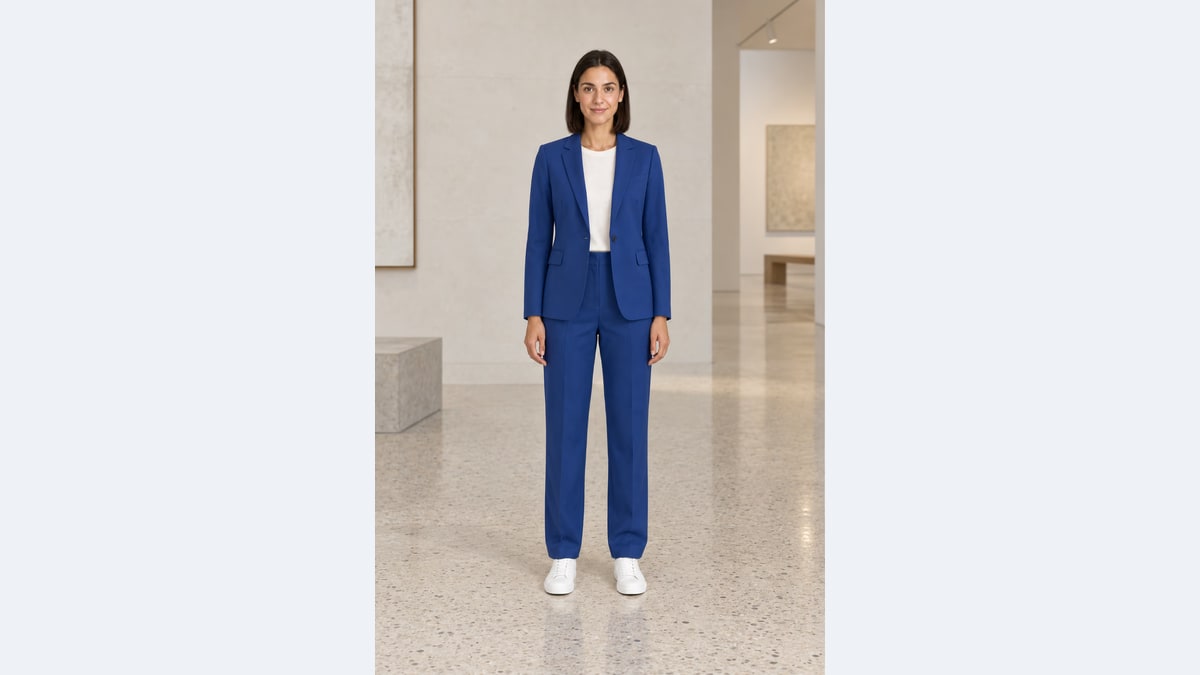
Edit the approved model photograph into a tailored cobalt-blue trouser suit over an ivory crew-neck T-shirt in a contemporary pale-stone gallery. Preserve identity, expression, head center, shoulder line, hands, hips, knees, subject scale and position, camera, crop and the original white shoes. Fit the clothing to the existing pose. Adjust only the environment and the contact shadow needed for believable placement. No re-posing, extra accessories, text or collage.Best for
Starting a visual project from a prepared creative brief.
How to use
Choose the mode, add a reference when needed, and refine one visible change at a time.
Output ratio
2:3 · Adapt the starting ratio to your marketplace card, cover, website banner or poster.
Four-frame outfit and scene sequence
Four web-generated stills are combined into a looping animation: studio, gallery, arcade and greenhouse. Inspect each frame for identity, pose and placement.


Quality notes
- Create comparable apparel campaign variants from one approved full-body model reference.
- Choose an outfit and a scene separately. Suggested pairs are cobalt suit/gallery, terracotta knit/city arcade, and sage trench/greenhouse.
- For a cleaner comparison, generate every variant from the same approved base. A chained edit can be used separately to study accumulated drift.
Prompt strategy
What the template controls
The template guides the subject, style, composition and output. Change one part at a time.
Using references
Use a reference to preserve identity, product shape, layout or material details.
Starting ratio
2:3 · Use the recommended ratio below, or choose Auto for reference-led edits. Portrait suits covers; landscape suits banners.
Template FAQ
Does the model remain pixel-identical?
No. The prompt requests stable identity, pose and placement, but generation can still move or redraw details. Compare facial landmarks, wrists and shoe tips before accepting each frame.
Is the animated preview generated video?
If an animated preview is provided, it is assembled from separately generated still images. It does not demonstrate native video generation.
How do I use a real garment?
Attach a clear garment image as an additional reference and explicitly assign its role. Ask for the garment design from that reference while keeping the approved model as the identity and pose reference. Text-only outfit descriptions create concepts, not exact SKU reproductions.
Is the template free?
It uses the same free generation flow as the main generator, subject to the current service limits.
Are the limits shared?
Yes. Cooldowns, daily limits and verification requirements are shared with the main generator.
Can I change the prompt?
Yes. Add your instructions in the prompt box; the template instructions are also applied when you submit.
Related templates
View all templates
Cozy café interior
Starting a visual project from a prepared creative brief.

Cinematic portrait
Starting a visual project from a prepared creative brief.

Colorize B&W
Starting a visual project from a prepared creative brief.

Capsule wardrobe flat lay
Generate a coordinated fashion flat lay for style guides and ecommerce content.