

Product · Templates
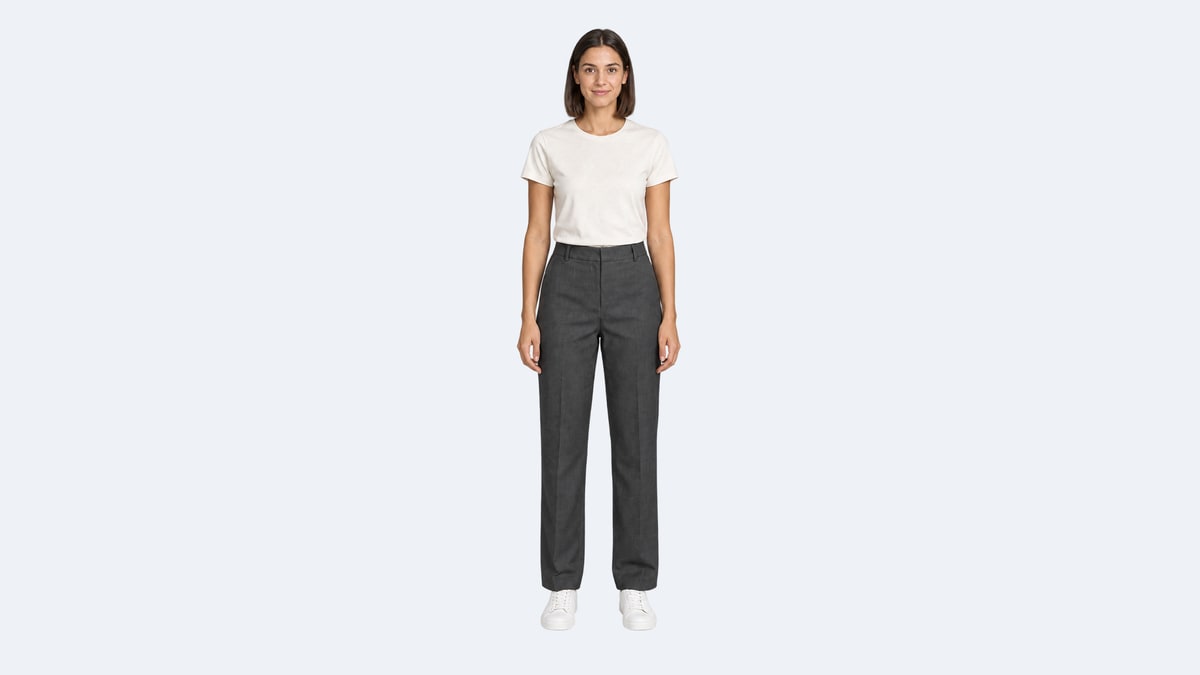
Full-body transparent model cutout
Preview created with ChatGPT Images 2.5 on the web; regeneration uses the model currently configured on this site.
Embed the generator on your site or share this template link with your community.
Generate with GPT Image 2.5
Generation channel
- Free · Ext
- Free access uses Ext Flare at 1K only. This experimental, unofficial channel may have availability interruptions.
- Paid · Standard API
- Paid generation uses the standard API for ongoing workflows, with no automatic fallback to Ext. Timeouts and failures are still possible.
Flare · Fast everyday creation
Sunburst · Precise image editing
Fixed credits depend on resolution, quality and reference images. The exact charge is shown before you generate. Failed generation is not charged.
Ext · Flare · 1K
Image resolution
Free generation uses 1K. An active subscription supports 2K and 4K generation using credits.
The selected ratio and template instructions are preloaded. Add your own instructions in the prompt box. The normal verification and usage limits apply.
Prompt strategy
Original generation prompt (English)
Remove the background of the approved full-body model photograph. Keep the original head, fine hair edges, face, pose, outfit, hands and white shoes at the same scale and frame position. Remove the ground shadow and make the gaps around the body genuinely transparent. Return one RGBA PNG; do not draw a checkerboard or a white background.Best for
Starting a visual project from a prepared creative brief.
How to use
Choose the mode, add a reference when needed, and refine one visible change at a time.
Output ratio
2:3 · Adapt the starting ratio to your marketplace card, cover, website banner or poster.
Quality notes
- Create a standalone model asset for later placement on campaign layouts.
- Download the original PNG and inspect transparency over both dark and light backgrounds before reuse.
Prompt strategy
What the template controls
The template guides the subject, style, composition and output. Change one part at a time.
Using references
Use a reference to preserve identity, product shape, layout or material details.
Starting ratio
2:3 · Use the recommended ratio below, or choose Auto for reference-led edits. Portrait suits covers; landscape suits banners.
Template FAQ
Is this a layered PSD file?
No. A transparent PNG is a single raster asset with an alpha channel. It does not provide separately editable hair, face, clothing or background layers.
How can I confirm the result is transparent?
Inspect the downloaded PNG alpha channel and place it over different background colors. A checkerboard painted into opaque pixels is not transparency. Fine hair and semi-transparent edges also need inspection.
Does the website always return transparent PNG?
No. Actual output depends on the configured provider and supported output settings. Asking in the prompt alone does not guarantee a transparent file. Keep the browser-generated original when you need verified alpha transparency.
Is the template free?
It uses the same free generation flow as the main generator, subject to the current service limits.
Are the limits shared?
Yes. Cooldowns, daily limits and verification requirements are shared with the main generator.
Can I change the prompt?
Yes. Add your instructions in the prompt box; the template instructions are also applied when you submit.
Related templates
View all templates
Clean studio backdrop
Starting a visual project from a prepared creative brief.

Accessory campaign
Generate a campaign visual for bags, belts, hats, and accessories.

Retail pop-up concept
Create a compact retail display concept for launches and offline events.

Spa package visual
Generate a calming spa promo image for gift cards, packages, or booking pages.